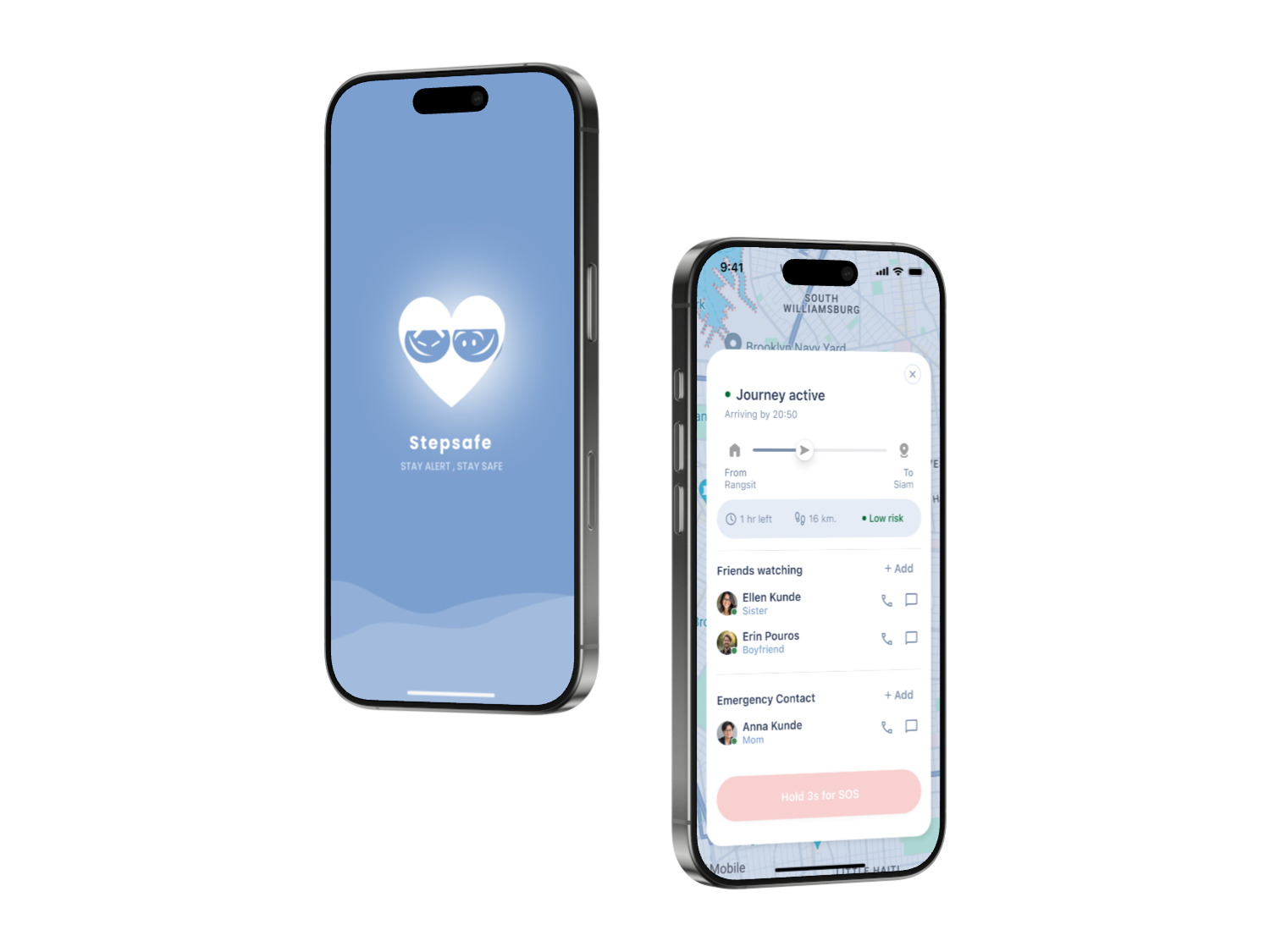
StepSafe — Mobile Safety App

You’re not alone,
even when you travel alone.

StepSafe helps solo travelers feel safer, more aware, and supported — before anything goes wrong.

UX/UI Design iOS Mobile Product Design
StepSafe — Mobile Safety App

A safety companionfor the moments that matter most.

Stepsafe is a mobile safety app for solo travelers — helping users stay aware, connected, and supported before a situation becomes an emergency.

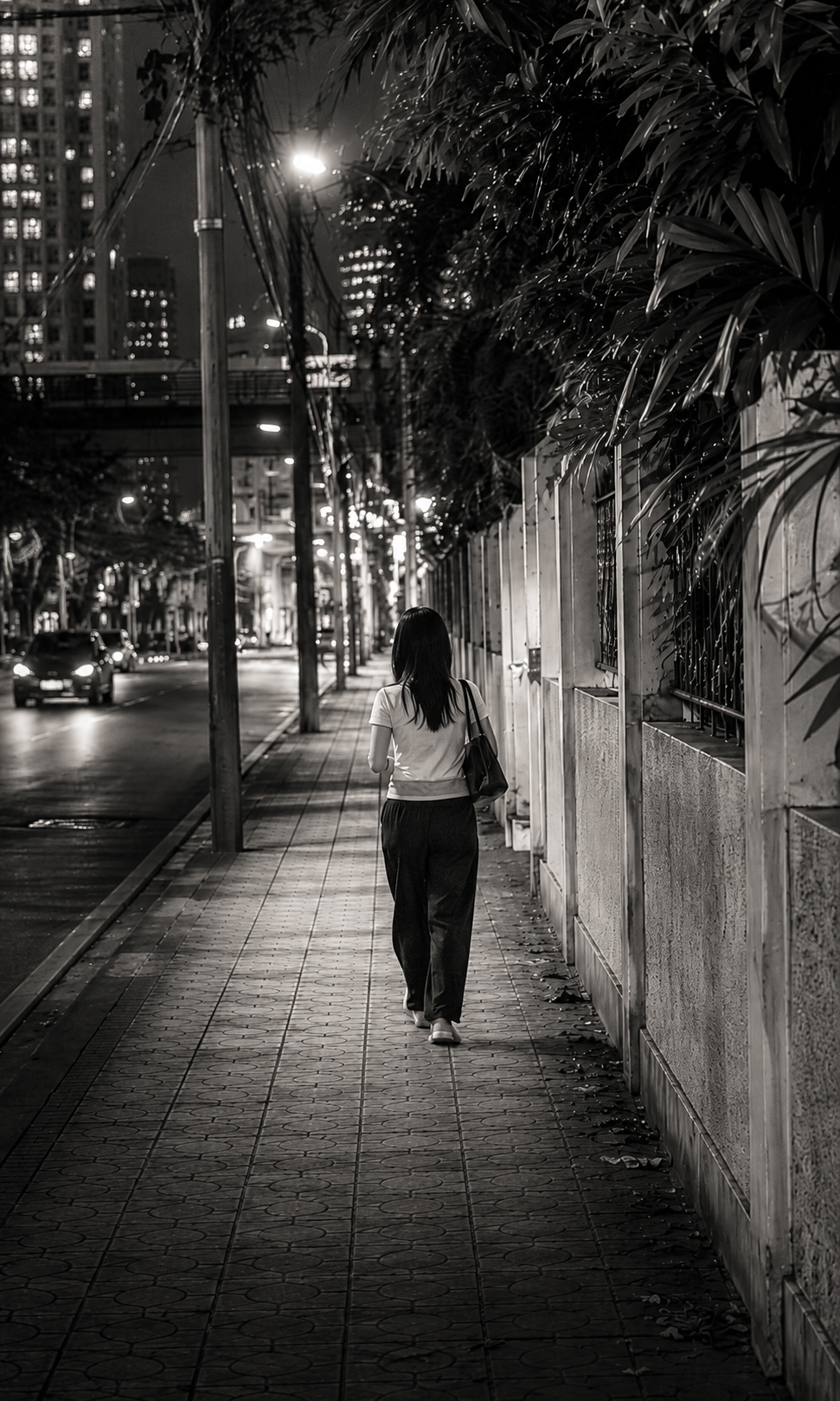
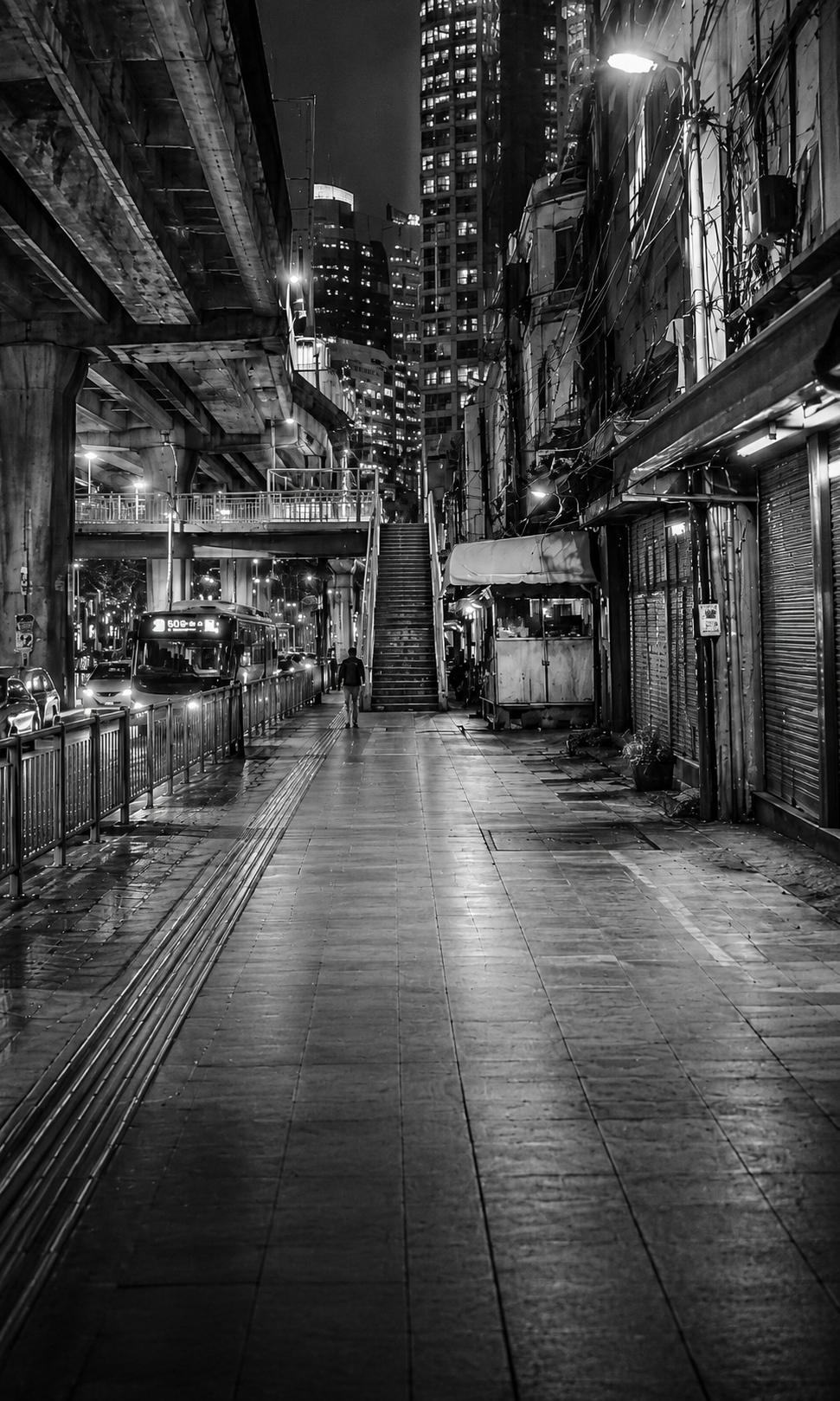
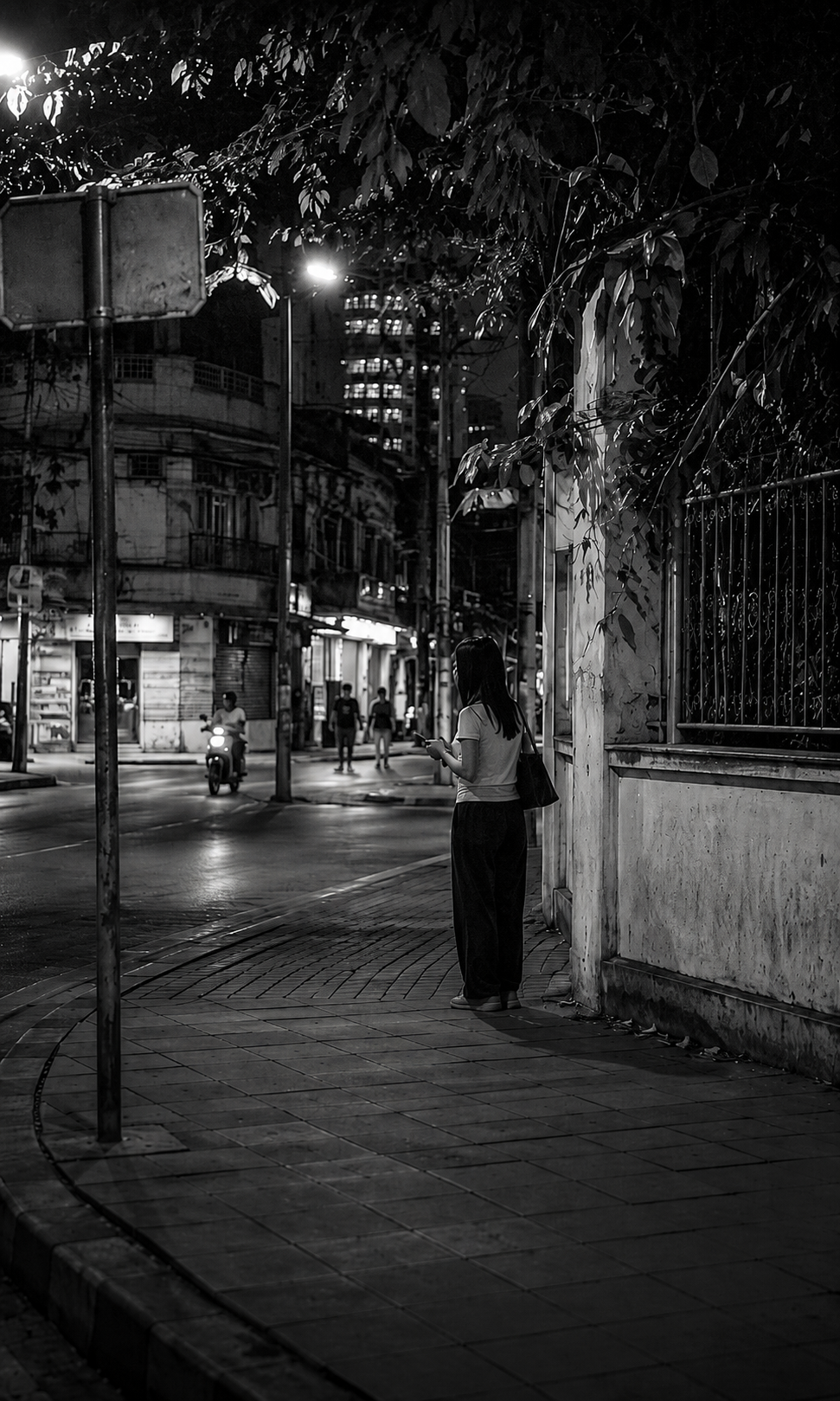
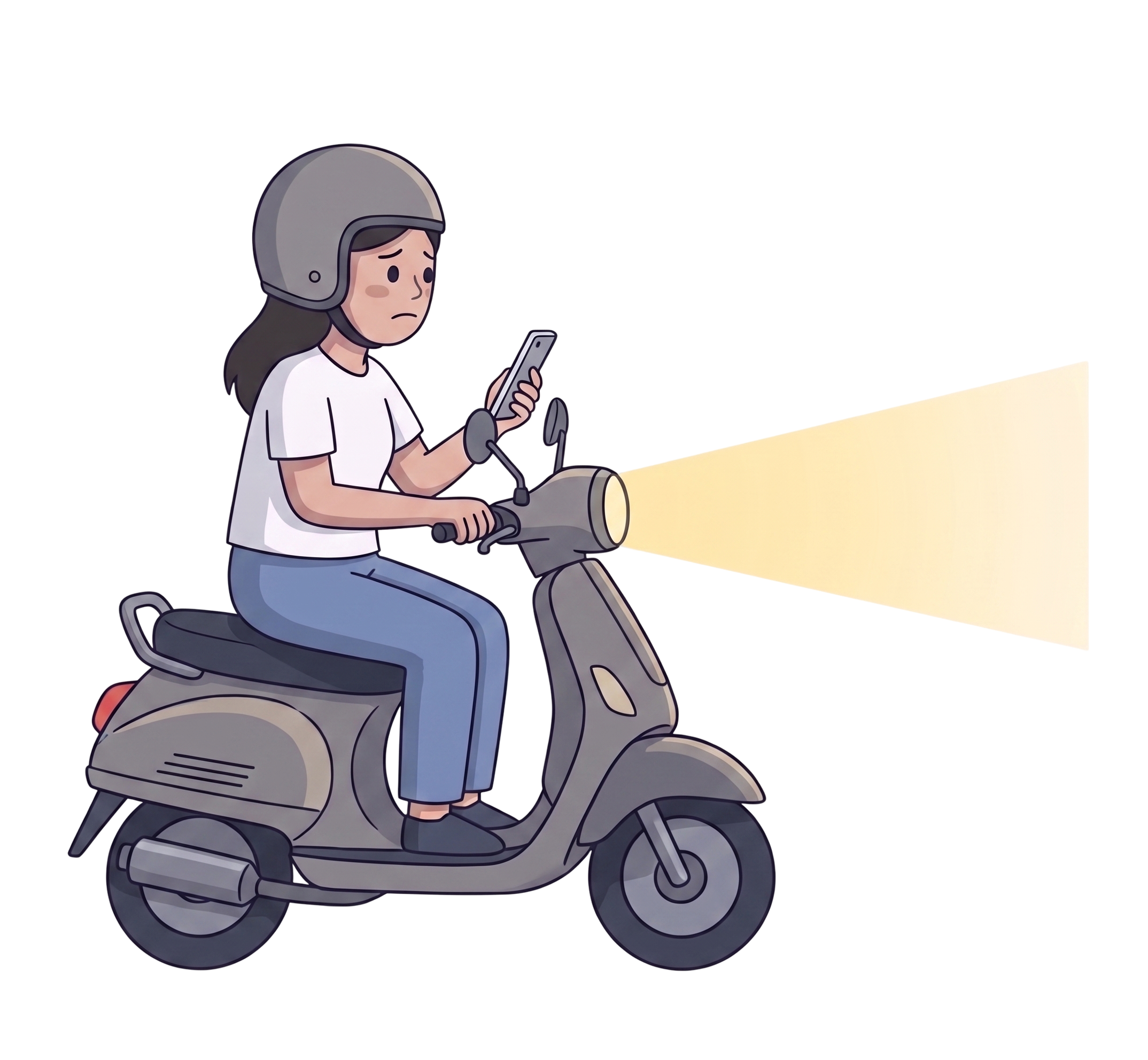
The fear often starts earlier: the unfamiliar street, the poorly lit alley, the moment something doesn’t feel right.

Stepsafe focuses on prevention — safer route awareness, live journey sharing, and a trusted support layer — so users are never caught off guard.

Duration : 1 month
UX/UI Design iOS Mobile Product Design Solo Safety
StepSafe app screens
Real-World Signals

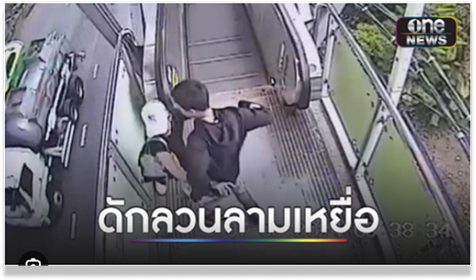
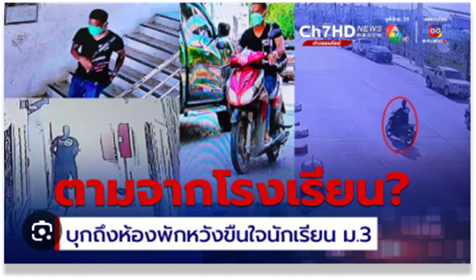
This isn’t a rare situation.

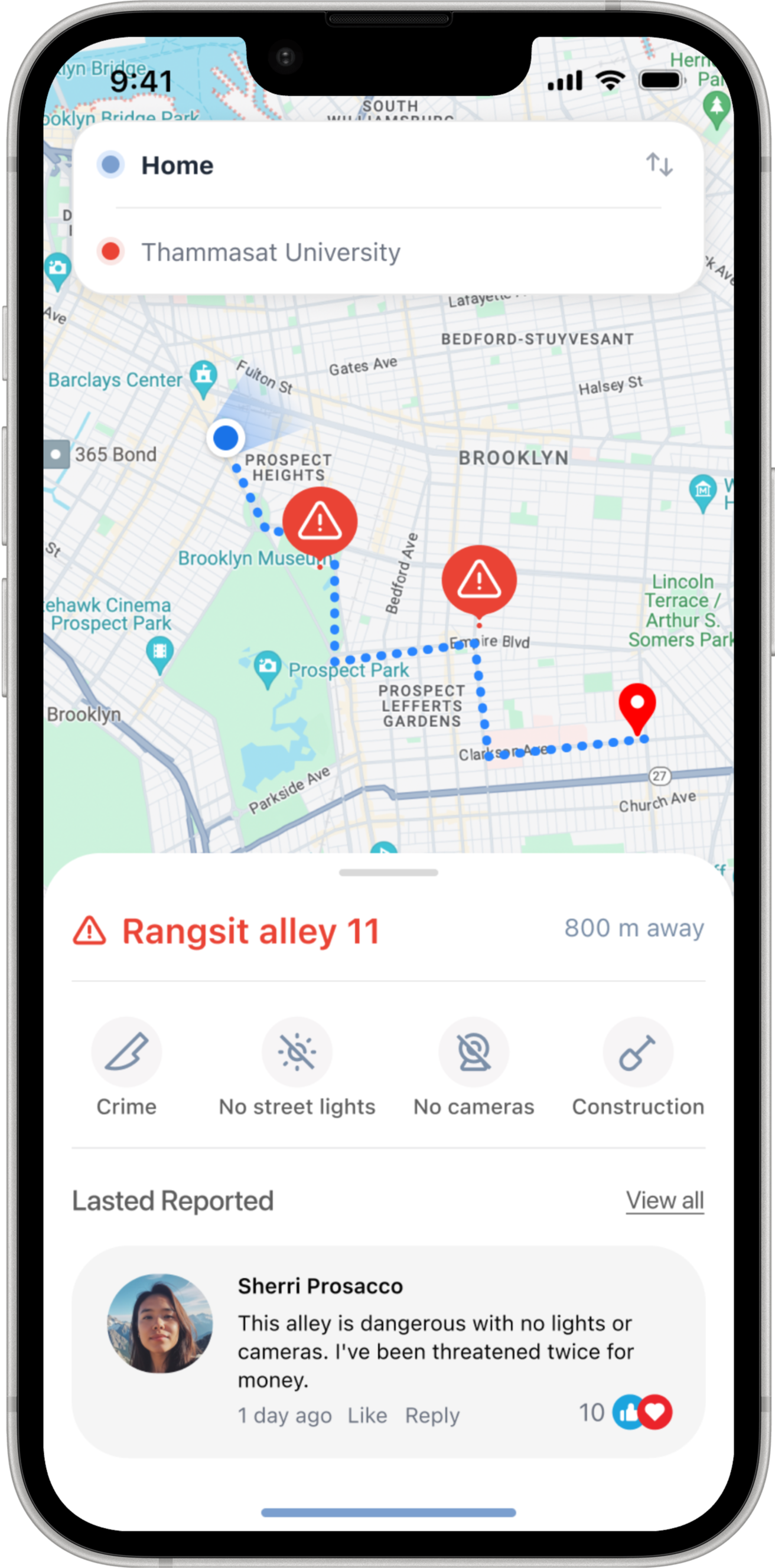
Over 500 areas across Bangkok have been identified as high-risk zones — including poorly lit streets, dead-end alleys, and spaces without surveillance coverage.

How people warn each other today

Drawn from real online community discussions, where people share safety warnings and risky locations with each other.
Process

Objectives &
Research Approach

The goal: a mobile safety companion that works before an emergency — giving solo travelers real-time risk awareness, safer route options, and a support layer they can rely on.

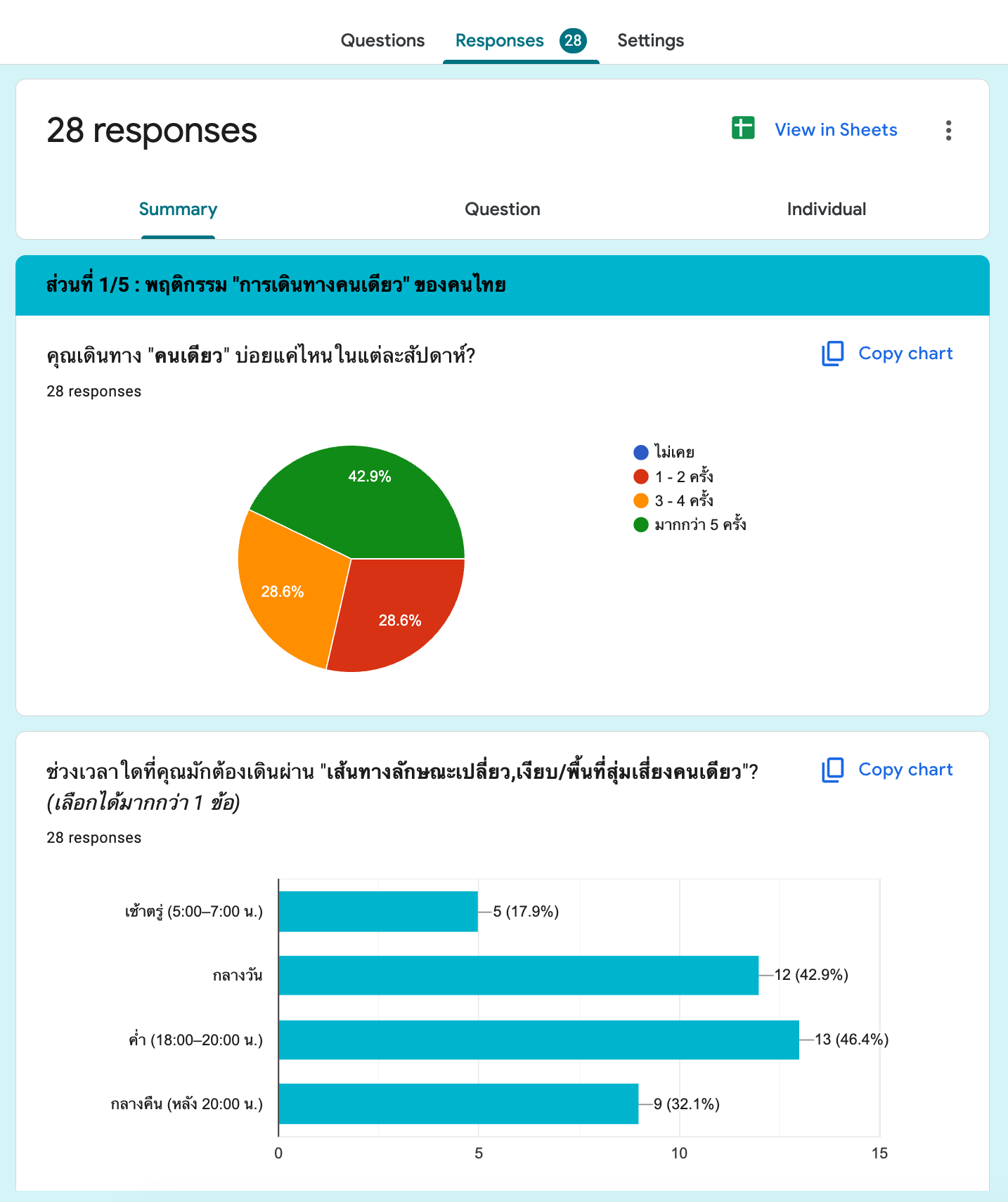
Using Design Thinking, research combined an online survey (28 participants) and 12 in-depth interviews — mapping real fears, avoidance behaviors, and the decisions people make when something feels off.

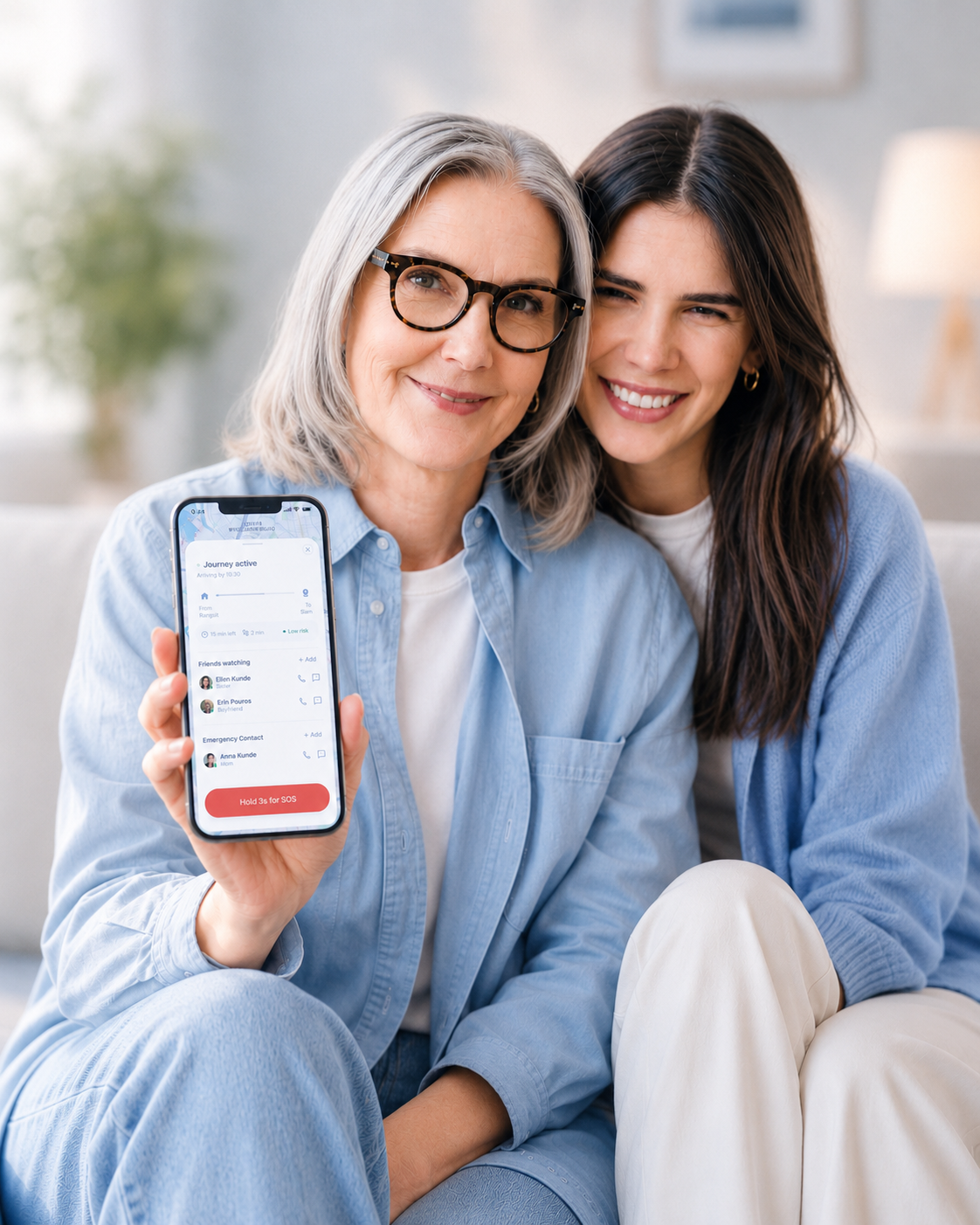
StepSafe app mockup with person
Research Foundation

Two methods.
One consistent picture.

Online Survey

A structured survey targeting women who travel alone regularly — mapping fears, avoidance behaviors, and the decisions they make under uncertainty.

Online survey questionnaire preview
28 Participants
20–55 Age range
Bangkok Location
Open survey form
1:1 Interviews

Twelve online interviews to go beyond survey data — understanding the emotional reality of solo travel and the workarounds people already use to feel safer.

Online interview laptop preview
12 Participants
22–50 Age range
Online Format
SECONDARY RESEARCH

Problems Identified

Unsafe at night
Unsafe at night 39%
High-risk locations
High-risk locations 600+
Walkways and alleys
Walkways & alleys 39%
Community concern
Community concern 25%

Sources: UN Women Thailand; TDRI / Safe Cities for Women Campaign.

PRIMARY RESEARCH

Key Insights

27 out of 28

Q. Would you take a detour to avoid a route that feels unsafe?

Answer: Yes, although some preferred the detour to remain reasonably convenient.

26 out of 28

Q. What would you do if you felt unsafe?

Answer: Call my friends or family instead of call police.

To understand users’ behaviors in assessing safety and choosing routes while traveling alone,
two key survey questions reveal clear and consistent patterns.

Question
What would you do if you felt unsafe?
90%
Roads or alleys without lighting
85.7%
Routes near grass or vacant areas
71.4%
Roads without CCTV
71.4%
Construction or abandoned areas
Question
How often do you feel uncomfortable in risky or isolated areas?
53.6%
Almost every time
32.1%
Often
14.3%
Sometimes
0%
Never / Rarely

Solo travelers don’t need more alerts. They need earlier awareness.

01

Safety decisions happen before emergencies.

Users wanted support while planning routes — not only after something went wrong.

02

People trust personal support first.

Most users preferred reaching trusted contacts before emergency services.

03

Users already choose safer routes.

When safety information was visible, users naturally adjusted their decisions.

04

Uncertainty is the hardest moment to design for.

Anxiety peaks in the grey zone — after something feels off, but before danger is certain.

Define

User Persona

Nuch persona profile

Nuch — 21 years old

Tech Usage
  • Uses her phone daily
  • LINE, Instagram
  • Comfortable with map apps
Demographic
  • 3rd-year university student
  • Status: Single
  • Lives alone in off-campus housing
  • Travels solo regularly
“I can handle myself… but having a Safe Zone wouldn’t hurt.”
Pain Points
  • Goes out often — always anxious about the walk back to her dorm
  • Mostly alone and fears no one would know if something happened
  • Unsure which alleys are dangerous or what to avoid
  • Doesn’t like asking others for help — feels like a burden
  • No knowledge of personal safety tools — sees them as irrelevant
Behavior Insight
  • Picks routes by familiarity + speed — not safety
  • Avoids bothering others → rarely calls for help
  • Uses her phone the entire time she’s walking (maps / chat)
Goals & Needs
  • Know which areas are risky before she walks them
  • Have someone aware of where she is in an unexpected emergency
  • Feel like someone is “with her” while traveling alone
  • Receive alerts that are short, fast, and easy to act on
Define

Empathy Map

Based on survey data from 28 participants — women aged 20–55 who travel alone regularly in Bangkok.

Scenario: Walking through an isolated path or quiet alley in the early morning / evening / late night without a companion
HEAR
เสียงฝีเท้าคนเดินตาม เสียงรถมอเตอร์ไซค์ เสียงรถขับช้าๆ ตาม เสียงหมาเห่า / จิ้งหรีด ไม่มีเสียงคนรอบข้างเลย "เดี๋ยวผมไปส่งเองนะ"
SEE
ไฟถนนดับ / กระพริบ ไม่มี CCTV ซอยแคบ รถสวนไม่ได้ คนจร / คนไร้บ้าน ร้านค้าปิดหมดแล้ว ข้างทางรกร้าง
Nuch persona profile
นุช
21 ปี · นักศึกษา · กทม.
เดินทางคนเดียวเป็นประจำ
THINK & FEEL
กังวลไม่มีใครรู้ว่าตัวเองอยู่ที่ไหน ถ้าเจอคนแปลกๆ จะทำไงดี? ไม่รู้เส้นทางที่ปลอดภัยกว่า โทรหาใครดีไหมนะ จะมีใครเดินทางเดียวกันไหม?
SAY & DO
โทรหาเพื่อน/แฟนให้คุยเป็นเพื่อน หาวิน/แท็กซี่ แทนการเดินผ่านซอย เดินเร็วขึ้น ระวังตัว เดินอ้อมหลีกเลี่ยงซอย
Pains
  • ไม่รู้เส้นทางอื่นที่ปลอดภัยกว่า กลายเป็นต้องหาทางเดินอ้อมโดยไม่มีข้อมูล หรือยอมเดินเข้าพื้นที่เสี่ยง
  • ไม่มีใครรับสาย ต้องเผชิญสถานการณ์คนเดียว
  • เวลาเสี่ยงสูงสุดตั้งแต่ 18:00 น. เป็นต้นไป
  • ไม่มั่นใจว่าตัวเองจะเอาตัวรอดได้ถ้าเกิดเหตุจริง
Gains
  • อยากรู้จุดเสี่ยงล่วงหน้า ก่อนออกเดินทาง ไม่ต้องเดาเอง
  • อยากมีคน "อยู่เป็นเพื่อน" ขณะเดินทาง แม้จะคนเดียว
  • อยากมีทางเลือกเส้นทางที่ปลอดภัยกว่าอยู่ในมือ
  • อยากให้ตำรวจรับรู้เมื่อเกิดเหตุร้ายได้รวดเร็ว
Define

User Journey

Before AS-IS

Current experience — fragmented information, unclear safety signals, and high emotional anxiety.

User Journey Map — current state (As-Is)
After TO-BE

StepSafe experience — clear risk awareness, proactive support, and emotional confidence at every step.

User Journey Map — StepSafe future state (To-Be)
Reduced anxiety
Route risk is visible before the journey begins — no more second-guessing in the dark.
Faster decisions
Safety signals are surfaced at the right moment — the right action is always one step away.
Clearer safety awareness
Users move from passive worry to active awareness — supported by context, not left alone with fear.
The Response

Three principles drove every design decision

01

Prevention before reaction

Risk had to be visible at the planning stage — not delivered as a notification after the user was already somewhere unsafe.

02

Safer routes, not just faster ones

Route comparison was redesigned to lead with safety signal, not travel time. A better option always sits alongside the riskier one.

03

Connected during the journey

The support layer mirrors real behavior: trusted network first, emergency services last — never the reverse.

Before

Plan with confidence

  • Check route risk levels
  • Compare safer alternatives
  • Set trusted contacts
Planning before the trip
During

Stay connected

  • Share live trip with contacts
  • Receive environment alerts
  • One-tap check-in
Staying connected during the trip
After

Arrive safe

  • Arrival confirmation sent
  • Contacts notified automatically
  • Report risky spots for others
Arriving safely after the trip
Before — During — After
Ideate

Core User Flows

How users move through the system.

1
Safe Route Planning
Awareness
Safe Route Planning — user flow diagram
2
Live Tracking
Prevention
Live Tracking — user flow diagram
3
Risk Awareness
Awareness
Risk Awareness — user flow diagram
4
Emergency Support
Emergency
Emergency Support — user flow diagram
Ideate

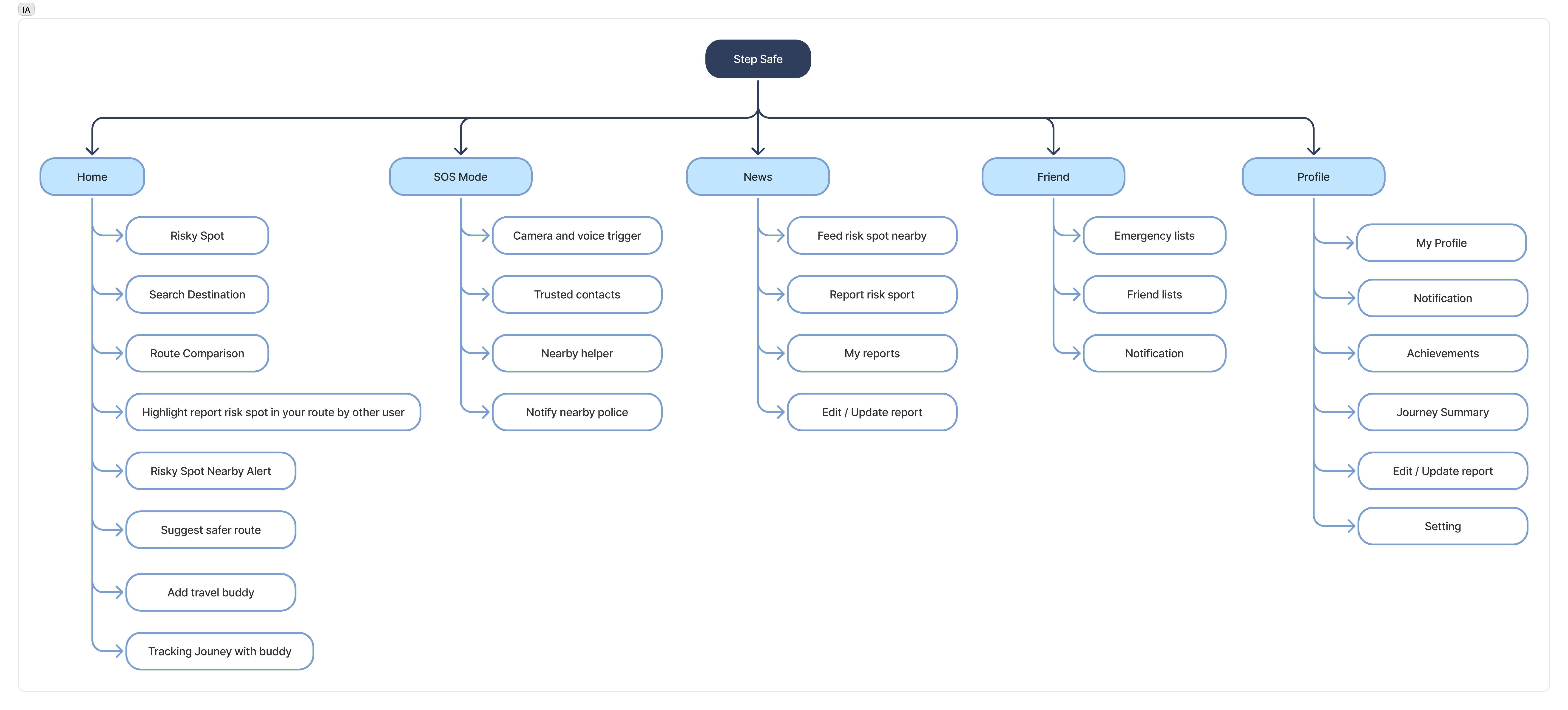
Information Architecture

StepSafe Information Architecture diagram
Key Features & Prototype

Three flows that do the work.

Route Safety

Safer routes at a glance

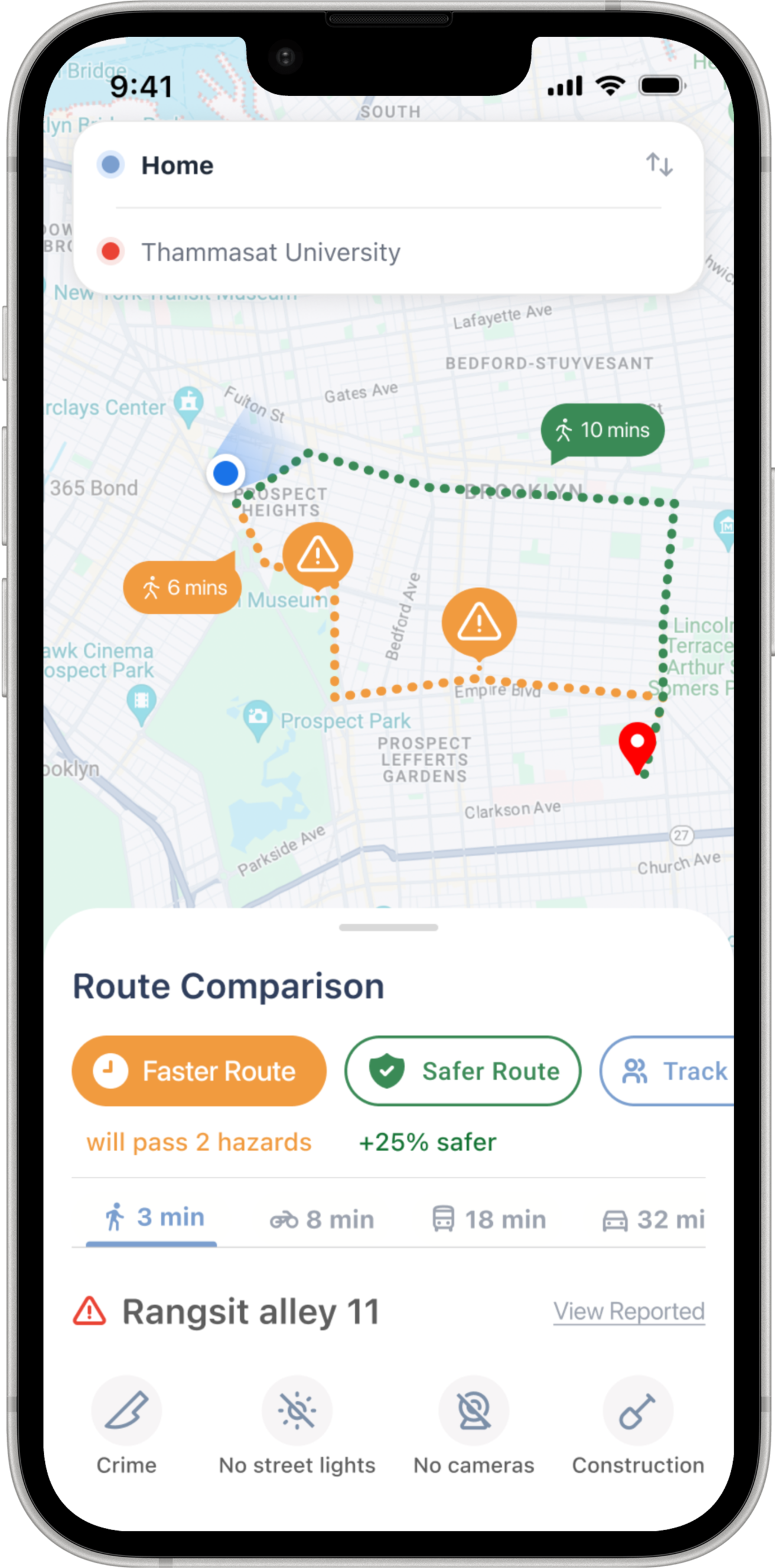
Route Comparison shows the risk level of each path alongside travel time — so a safer choice is always visible before the user sets off.

  • Risk level scored per route
  • Safe route always presented as the first option
  • Community-reported risk signals overlaid on map
Live Tracking

Someone always knows you're on your way

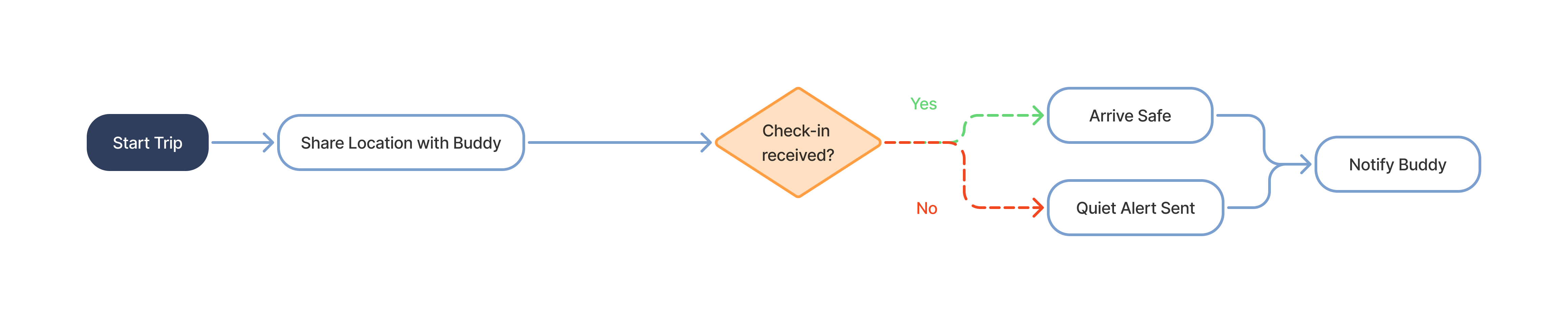
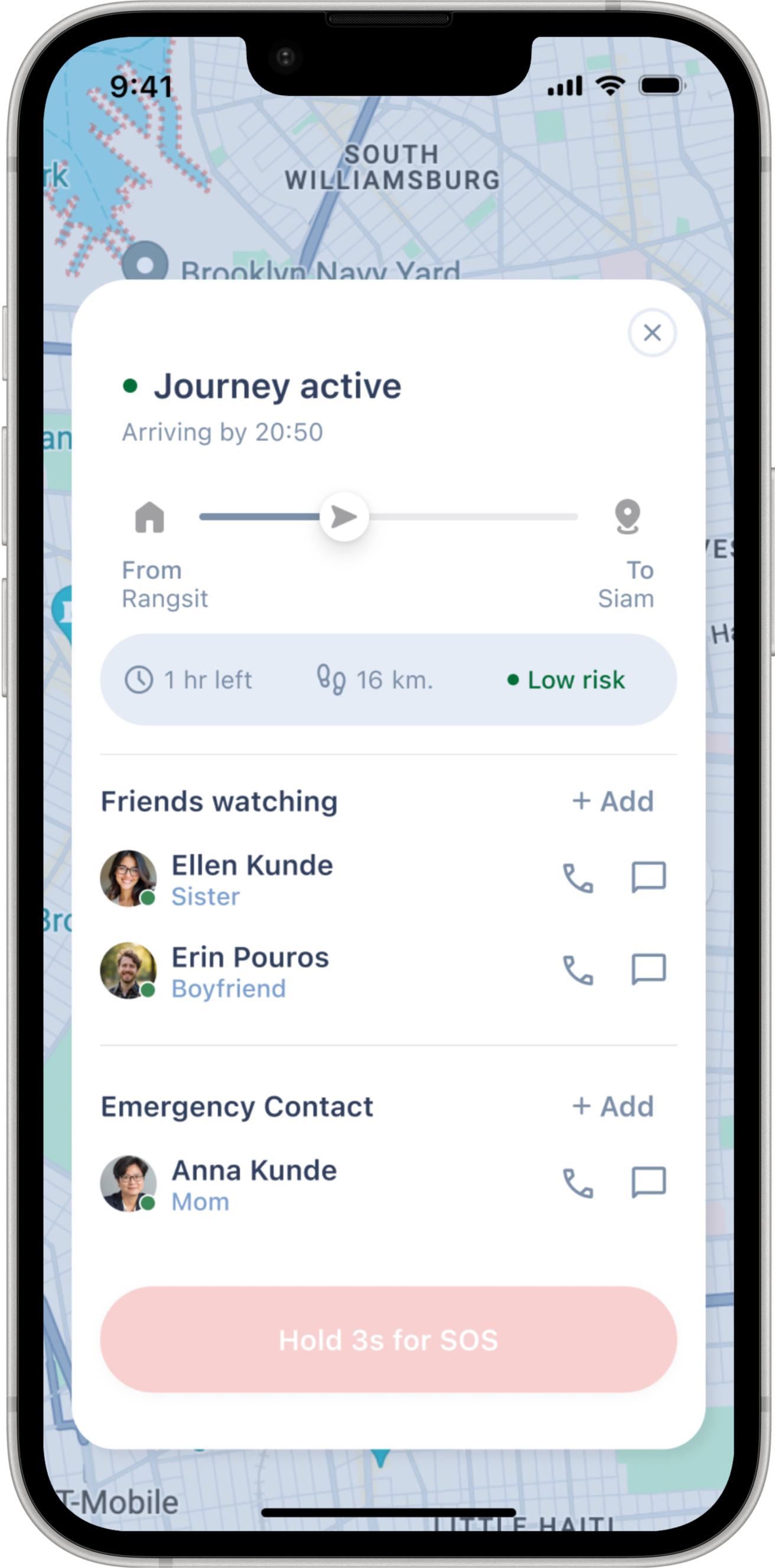
Track Me shares your live location and ETA with selected contacts. If a check-in is missed, they're quietly alerted — no panic, just presence.

  • Share route and ETA with selected contacts
  • Automatic missed check-in notification
  • One-tap arrival confirmation
Support System

Not every moment needs an emergency response

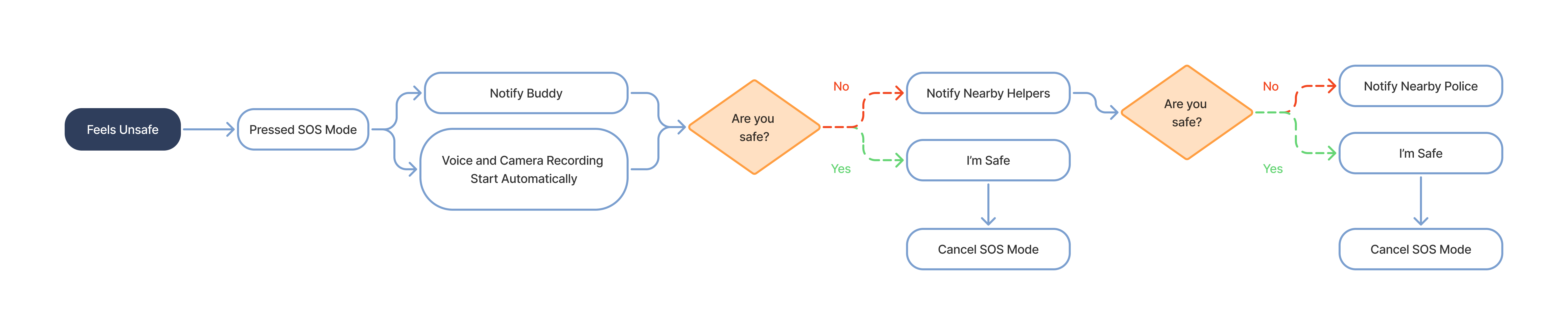
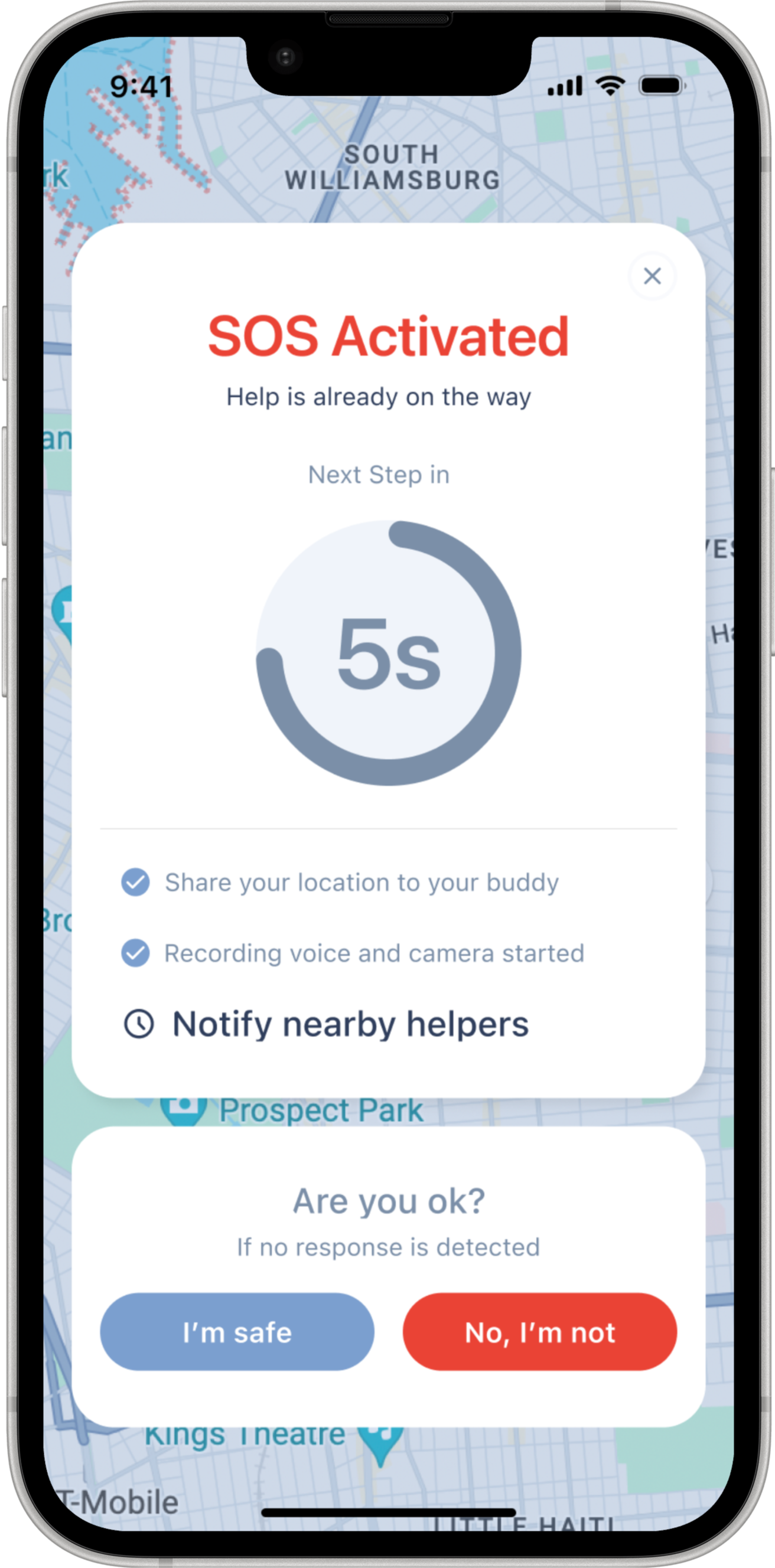
Three layers of support, scaled to the situation. Each layer includes a countdown timer — the user can cancel or escalate at any point. If there is no response in time, the system assumes risk and automatically advances to the next layer.

01 Layer 1

Trusted Network

Share your live route with selected contacts. When SOS is held for 3 seconds, the device automatically begins recording audio and video — and alerts your trusted network immediately.

Live sharing Auto-record on SOS Missed check-in
02 Layer 2

Auto Evidence Capture

If the user does not respond, StepSafe automatically turns on voice and camera recording to capture real-time evidence and context.

Auto recording Voice + camera Evidence capture
03 Layer 3

Emergency Services

Notifies the nearest police station with your live location. One action. Always visible — never buried.

Nearest station alerted Location sent Always on
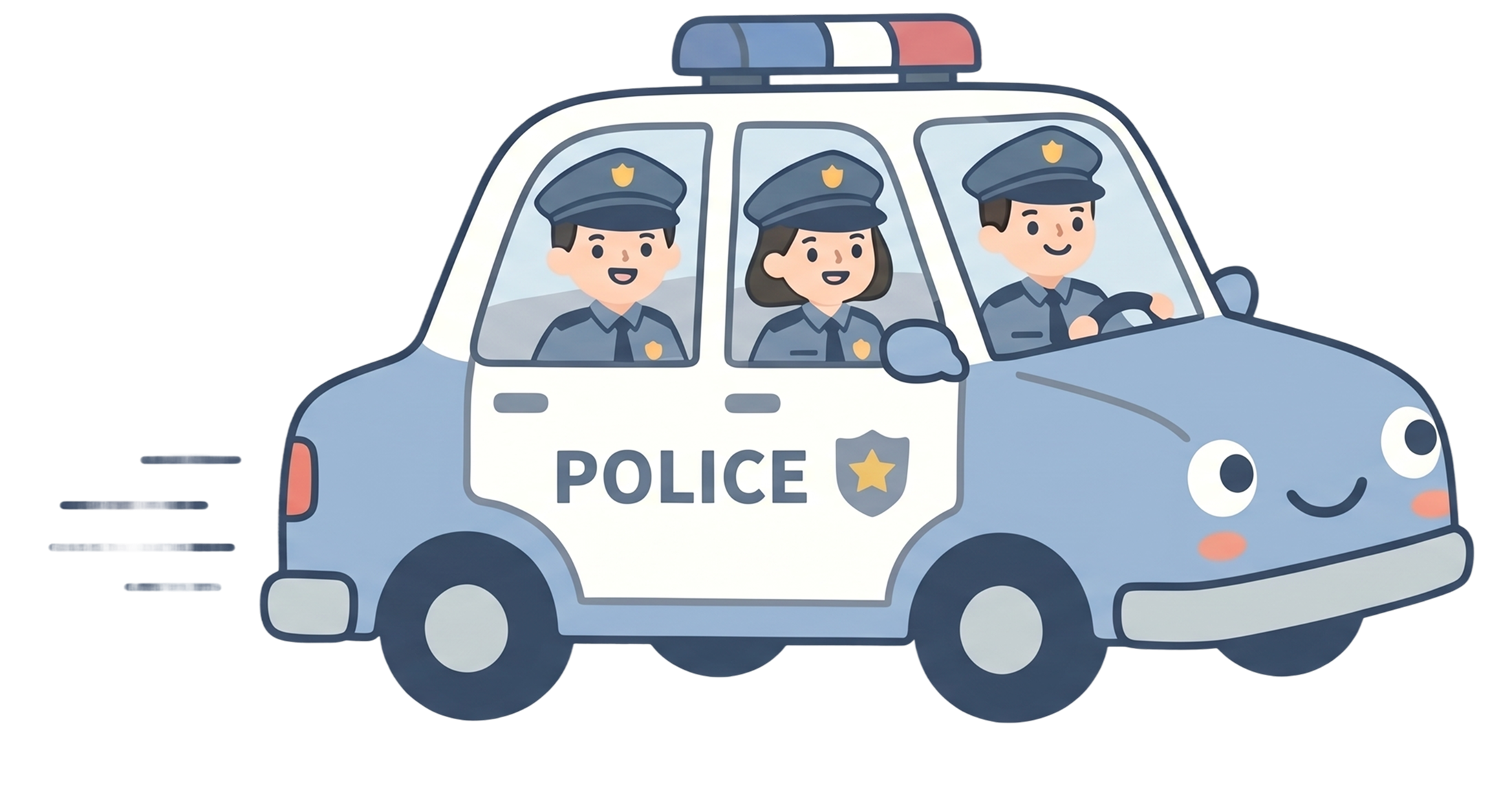
StepSafe car driving across the road
Design System

Visual system built for clarity under stress.

Every token, component, and color choice reinforces the same principle: fast comprehension, low cognitive load, and emotional reassurance.

Color System
Deep Blue
#304369 — Primary brand
Blue
#7895CF — Interactive
Blue Grey
#DEE5F3 — Borders / BG
Pink Soft
#F8D0D0 — Accent / warm
Safe Green
#5BB88A — Safe status
Amber
#E8962A — Warning / alert
Danger Red
#D94444 — Emergency / SOS
Background
#F3F5FB — Page surface
Typography — Inter
H1
Traveling alone
32px / 700 / −0.02em
H2
The fear starts
24px / 700 / −0.015em
H3
Section headline
17.6px / 700
Body
Regular body text for descriptions and explanations.
16px / 400 / 1.65
Label
SECTION LABEL
11.5px / 700 / +0.12em
Caption
Muted caption text
12px / 500
Radius & Shape
Input / Tag
8px
Inline Card
12px
Card
16px
Modal
24px
Button / Pill
999px
Spacing Scale
xs
4px — icon gap
sm
8px — chip gap
md
12px — card inner
lg
16px — row gap
xl
24px — card padding
2xl
40px — section gap
3xl
64px — section padding
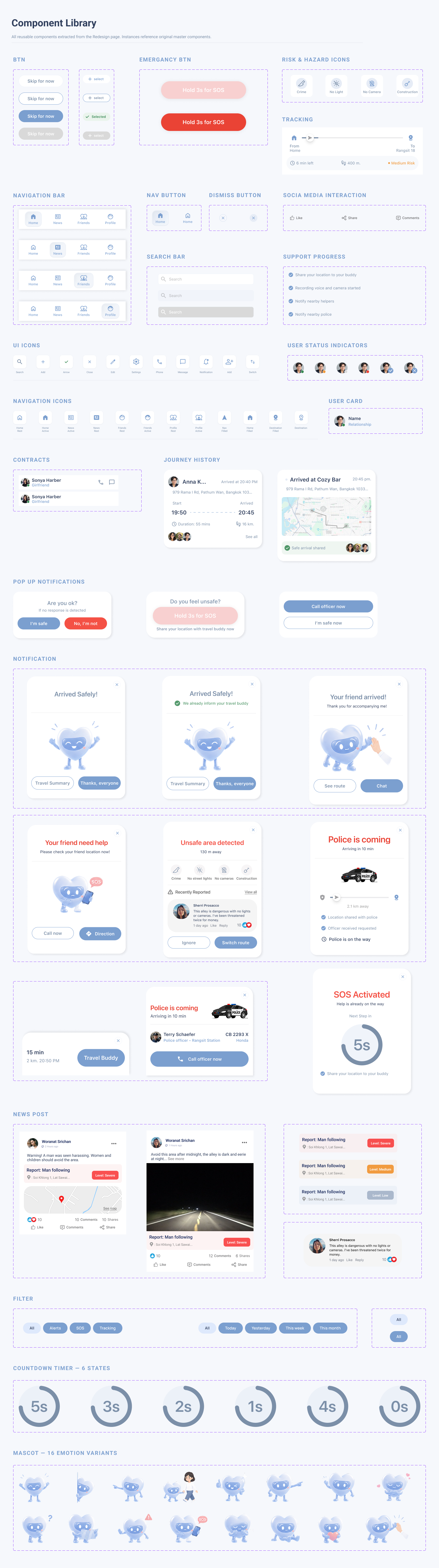
Core Components
SafeSteps design system showing core UI components, styles, and interface elements
UX Communication

Designing a Friendly Safety Companion

Safety shouldn’t feel clinical. StepSafe’s companion character guides users through uncertain moments — making safety feedback warmer, more approachable, and easier to trust.

The mascot appears at key moments — not as decoration, but as a communication layer that signals the right tone at the right time.

  • Reduces anxiety in unfamiliar situations
  • Makes safety feedback feel more approachable
  • Reinforces trust through consistent guidance
Friendly presence
Route guidance
Risk awareness
Navigation support
Emergency signal
Reassurance
Final Design

The product, end to end.

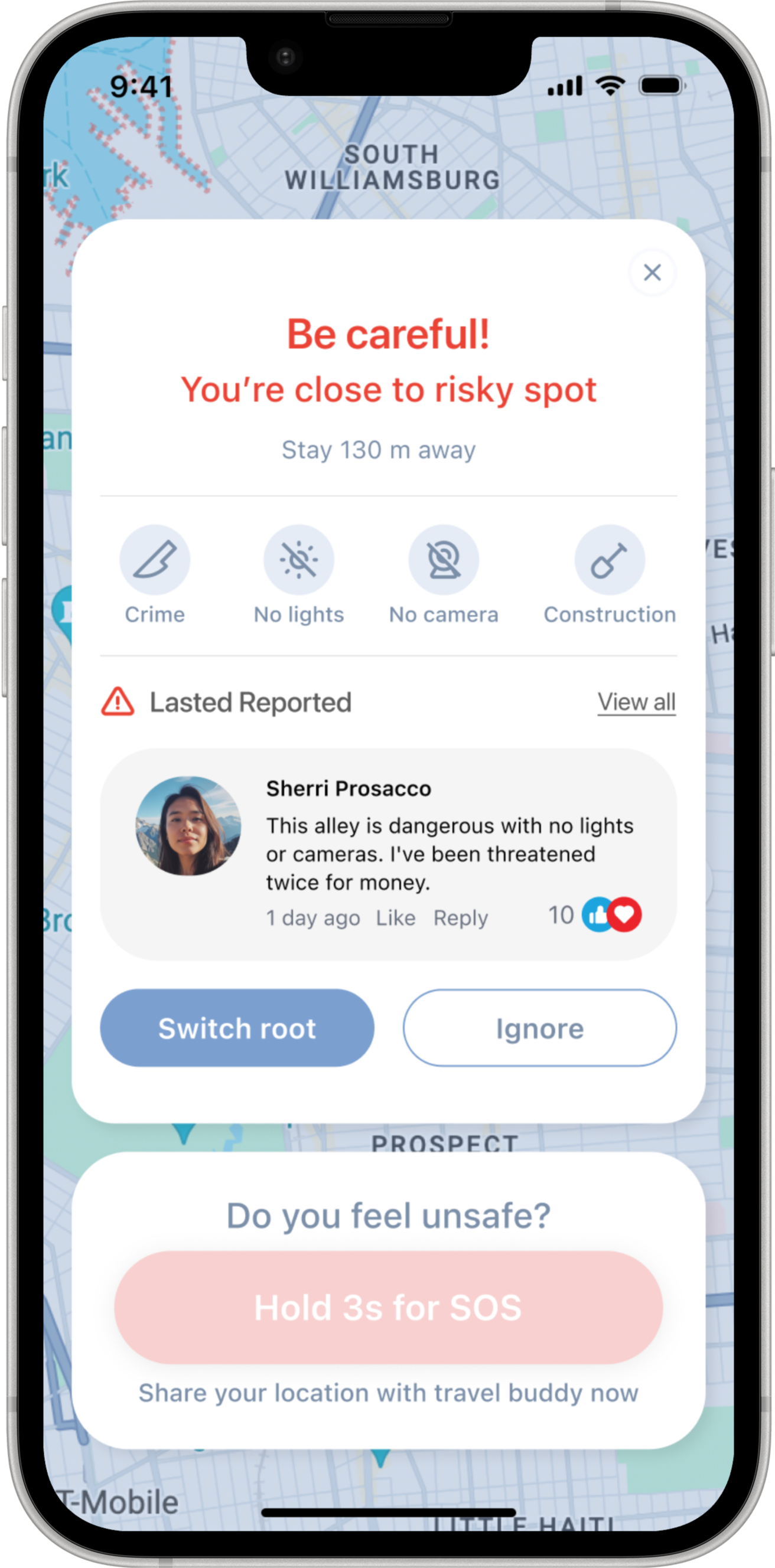
Five key screens — from risk awareness to emergency escalation.

Screen Flow

A high-level view of how StepSafe screens connect across route planning, tracking, risk awareness, and support escalation.

StepSafe screen flow and design mockup
Design Deliverables

Explore the full design file

Take a closer look at the UI screens, flows, components, and developer handoff in Figma.

View Figma Design File ↗